Process mining is brutally honest. If the event log is messy, your process model will be messy too.
This post is a practical guide to the mistakes that create misleading maps, wrong bottlenecks, and false conclusions.
Why this matters
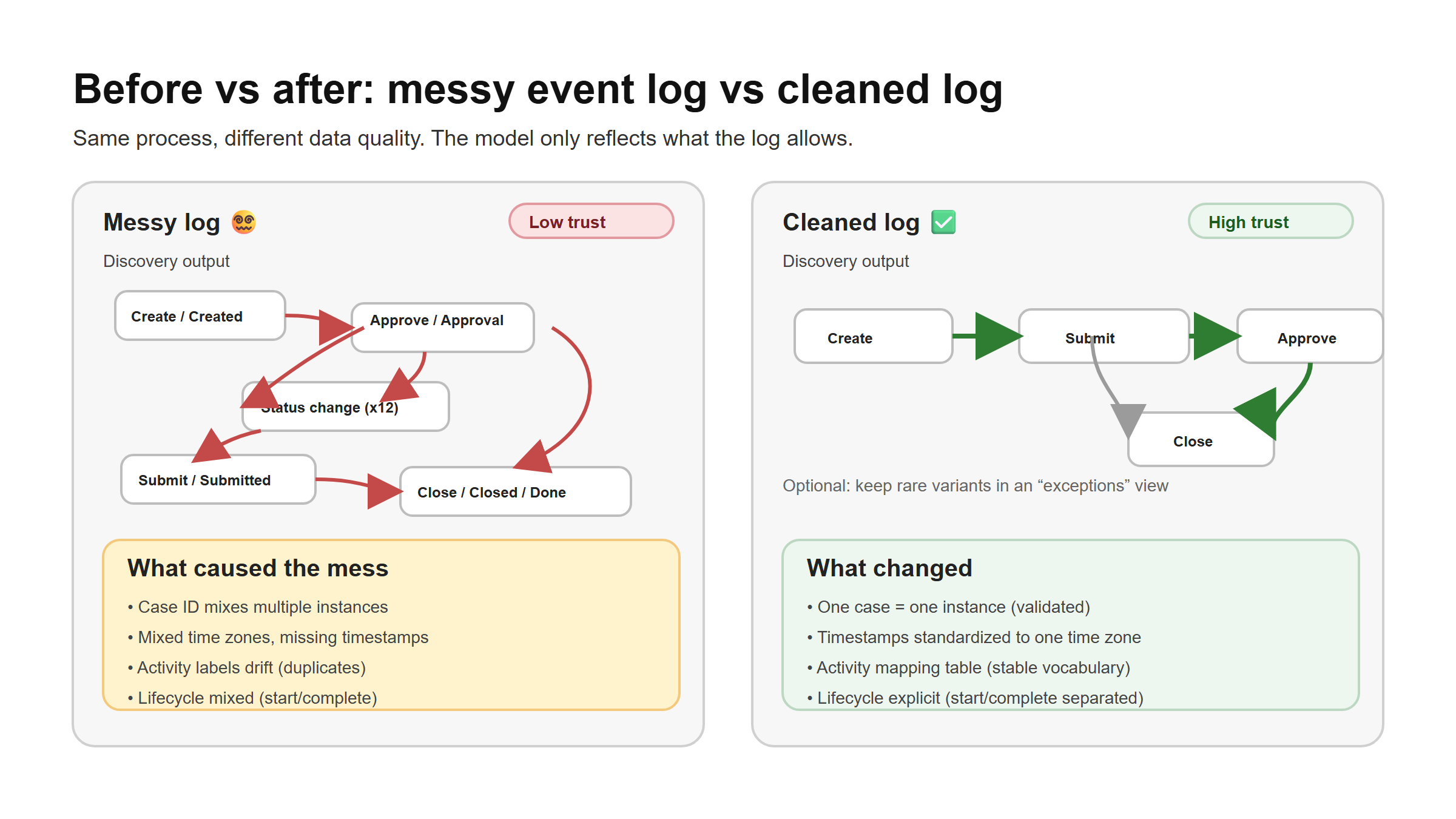
A process model is only as good as the assumptions baked into the log. Small issues like a wrong Case ID or a missing timestamp can create phantom variants, unrealistic loops, and broken performance metrics. Fixing the log first saves time and prevents “process theater.”
The core idea
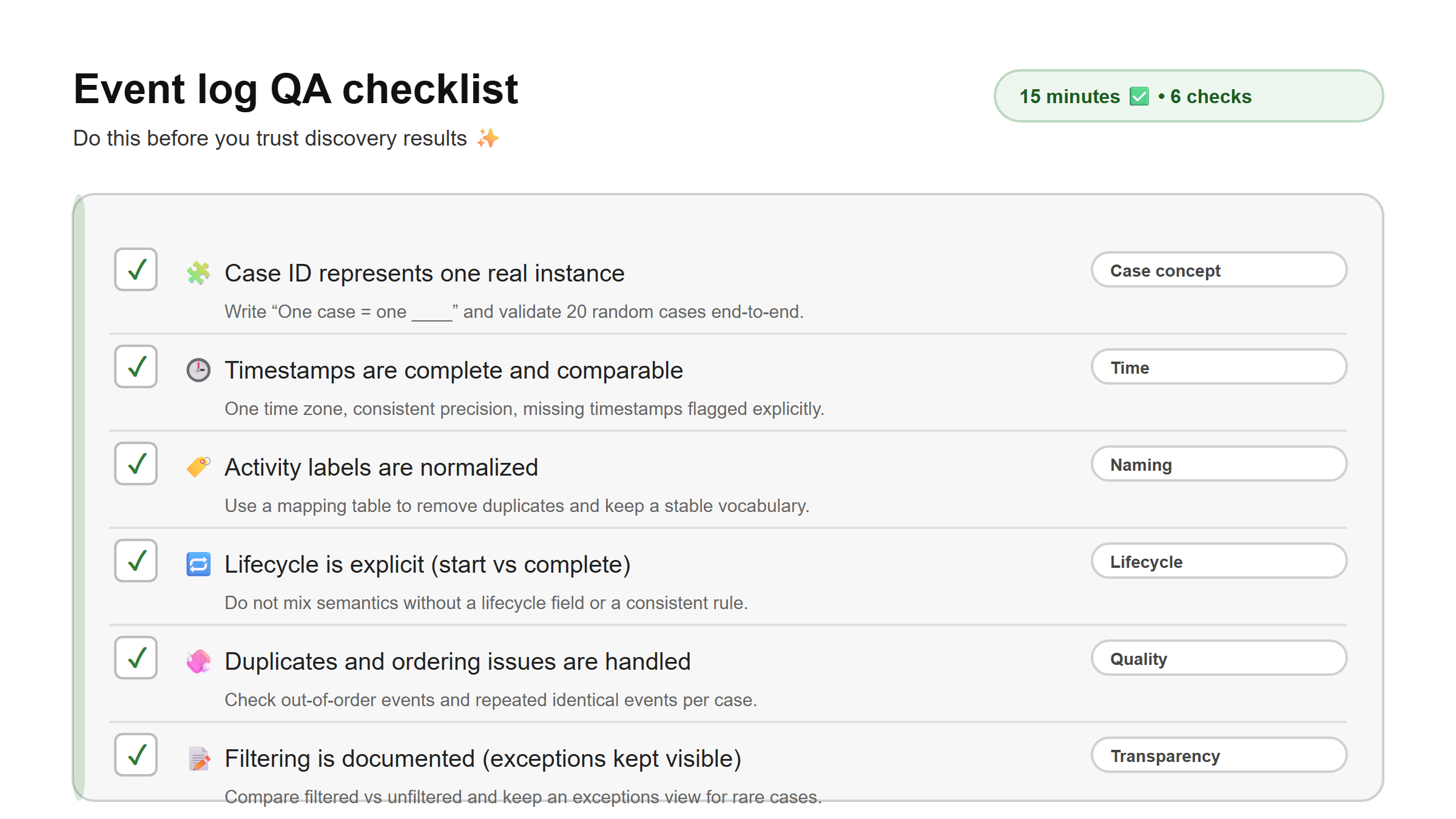
Before you tune parameters or debate which algorithm to use, run a quick QA pass on three things: what a case is (Case ID), what “time” means (timestamps and time zones), and what an activity label actually represents (naming and lifecycle). When those three are stable, discovery results become interpretable.
The most common mistakes (and fixes)
1) Wrong Case ID definition
What it looks like You open a case and it contains multiple real-world instances, for example several orders combined into one case. Or the opposite happens: one real instance is split into multiple case IDs, so the process looks like it "teleports" between traces.
Why it breaks process mining Variants explode, throughput times become nonsense, and bottlenecks show up in the wrong place.
Fix Start by writing the case definition in one sentence: "One case = one ____." Then validate about 20 random cases end-to-end. If the definition does not hold, change the case concept or build a composite key (for example -) so one case truly represents one instance.
2) Timestamp issues (missing, low precision, time zones)
What it looks like The log has missing timestamps, date-only timestamps (no time component), or mixed time zones across systems.
Why it breaks process mining Ordering becomes unstable and performance metrics (waiting time, SLA) become misleading.
Fix Standardize to one time zone. Keep full precision when possible. For missing timestamps, make the decision explicit: drop the event, impute a value (rarely a good default), or flag the case as low-quality so you do not trust its performance metrics.
3) Activity naming chaos
What it looks like You get 200+ activity names for a process that should have 10–30 steps, or you see the same step under multiple names (“Approve”, “Approval”, “Approved”).
Why it breaks process mining Discovery becomes unreadable and comparisons across time do not work.
Fix Create a mapping table from raw values to normalized activity names, and keep the vocabulary small and stable. Treat the mapping as a governed artifact: version it, review changes, and avoid “silent” renames that break time comparisons.
4) Lifecycle confusion (start vs complete)
What it looks like Some records represent “start”, others represent “complete”, but they are mixed without a lifecycle field. In other logs, status updates are treated like real activities, which inflates loops and can fake waiting time.
Why it breaks process mining Duration and waiting time metrics become wrong, and loops appear that are not real.
Fix Decide what an event means in your dataset. If you have lifecycle information, model it explicitly (for example with a lifecycle field) so duration and waiting time calculations are not silently wrong.
5) Filtering that changes the story
What it looks like Rework loops disappear because “rare cases” were excluded, and the model suddenly looks clean but no longer reflects reality.
Fix Compare filtered vs unfiltered results and document what you removed and why. A good pattern is to keep an “exceptions view” that shows what was excluded so stakeholders can still see the cost of rework and edge cases.
Worked example (mini QA table)
Take a small sample and check these fields. You can do this in SQL, Power Query, Python, or even a spreadsheet if you start small.
| Field | Quick check | Red flags |
|---|---|---|
| Case ID | 20 cases feel like one real instance | cases include multiple instances |
| Activity | top 10 names cover most volume | hundreds of near-duplicates |
| Timestamp | no missing values, one time zone | missing timestamps, date-only |
| Order | events strictly increasing per case | out-of-order timestamps |
| Duplicates | low duplicate rate | repeated identical events |
Once you have the checks, operationalize them as a repeatable QA step in your data pipeline. The goal is not perfection, it is consistency and transparency.